Members & roles
Members lists staff with access to the organization. Owners and admins with manage_members can invite by email, change roles, and remove access.
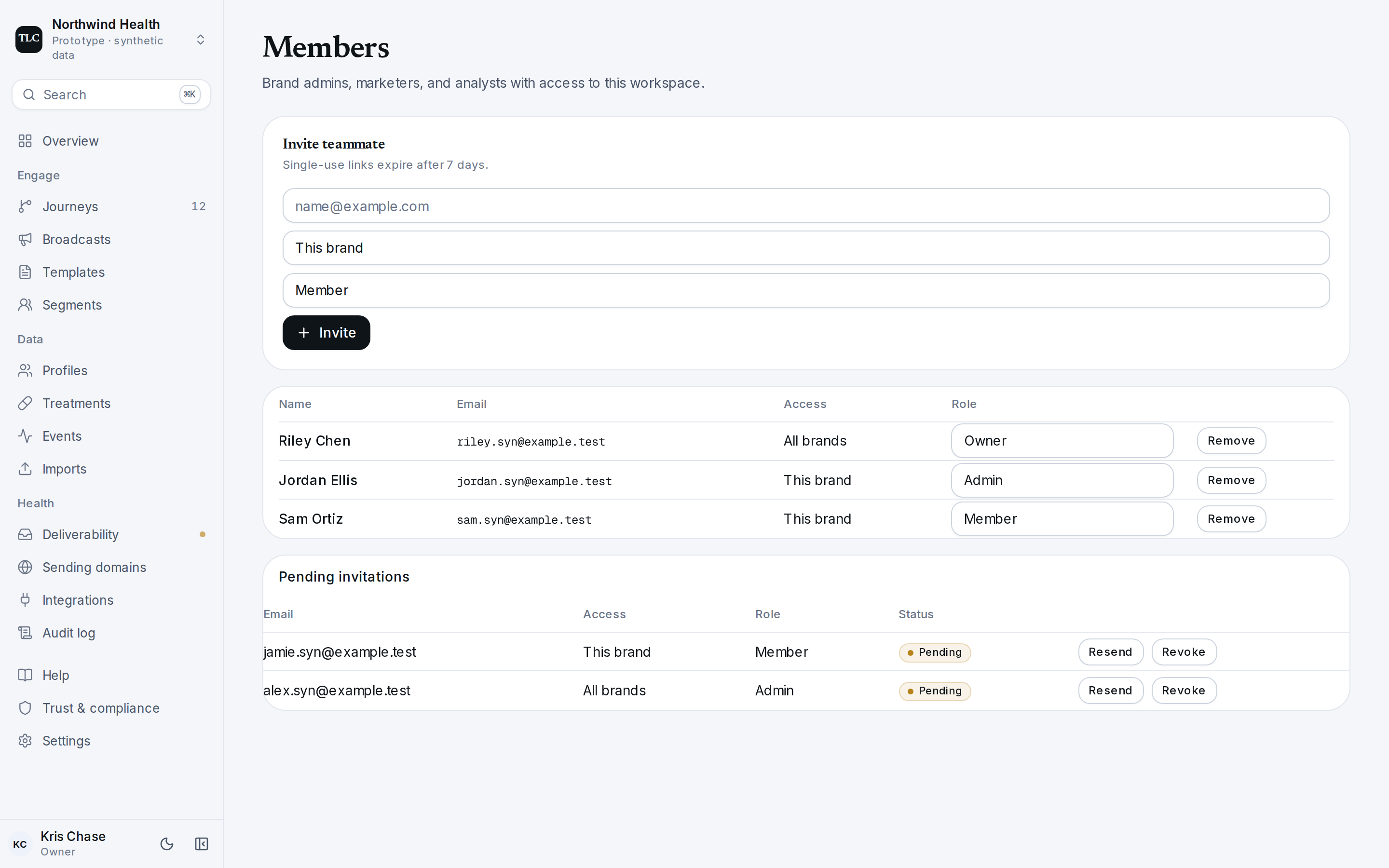 Members and invites
Email invites
- Open Members (or Settings → Team & roles).
- Enter a work email, choose This brand or All brands, and pick a role.
- TLC sends a single-use link that expires in seven days. The invitee accepts at
/invite/<token>and may sign in or create an account.
Pending invites show Resend and Revoke actions. Resend mints a fresh token and expiry; revoke invalidates the link immediately.
This brand vs All brands
| Scope | Meaning |
|---|---|
| This brand | Membership is limited to the brand you are viewing. RLS follows the brand slug in the URL. |
| All brands | Org-wide access to every brand in the organization. Only org owners and admins with org-level permission see this option. |
Agency staff often use This brand for client marketers and All brands for their own operators. Cross-org agency accounts (one login across unrelated customer orgs) are planned for a later release; today each org is isolated.
Last-owner guard
You cannot demote or remove the last owner for a scope (org-wide or brand-scoped). Attempts return a validation error: the organization must keep at least one owner. Promoting a second owner first, then demoting the original, is the safe path.
You also cannot remove your own row from this screen.
Roles (summary)
| Role | Capabilities |
|---|---|
| Owner | BAA, billing hooks, MCP tokens, all writes |
| Admin | Brands, domains, imports, invites |
| Marketer | Journeys, templates, broadcasts, segments |
| Support | Masked profiles, events |
| Analyst | Read-only analytics and deliverability |
MFA (TOTP) is required for live production users after enrollment.