Overview
The Overview screen is the default landing route for each brand (/app/<brandSlug>). It summarizes engagement health, journey throughput, and deliverability warnings without exposing individual recipients in chart tooltips.
What you see
- Greeting and local-time context from the brand timezone setting
- Journey cards with status (draft, active, paused) and recent volume
- Aggregate send metrics (counts only; no recipient lists)
- Health chips for domain verification, integration sync, and suppression spikes
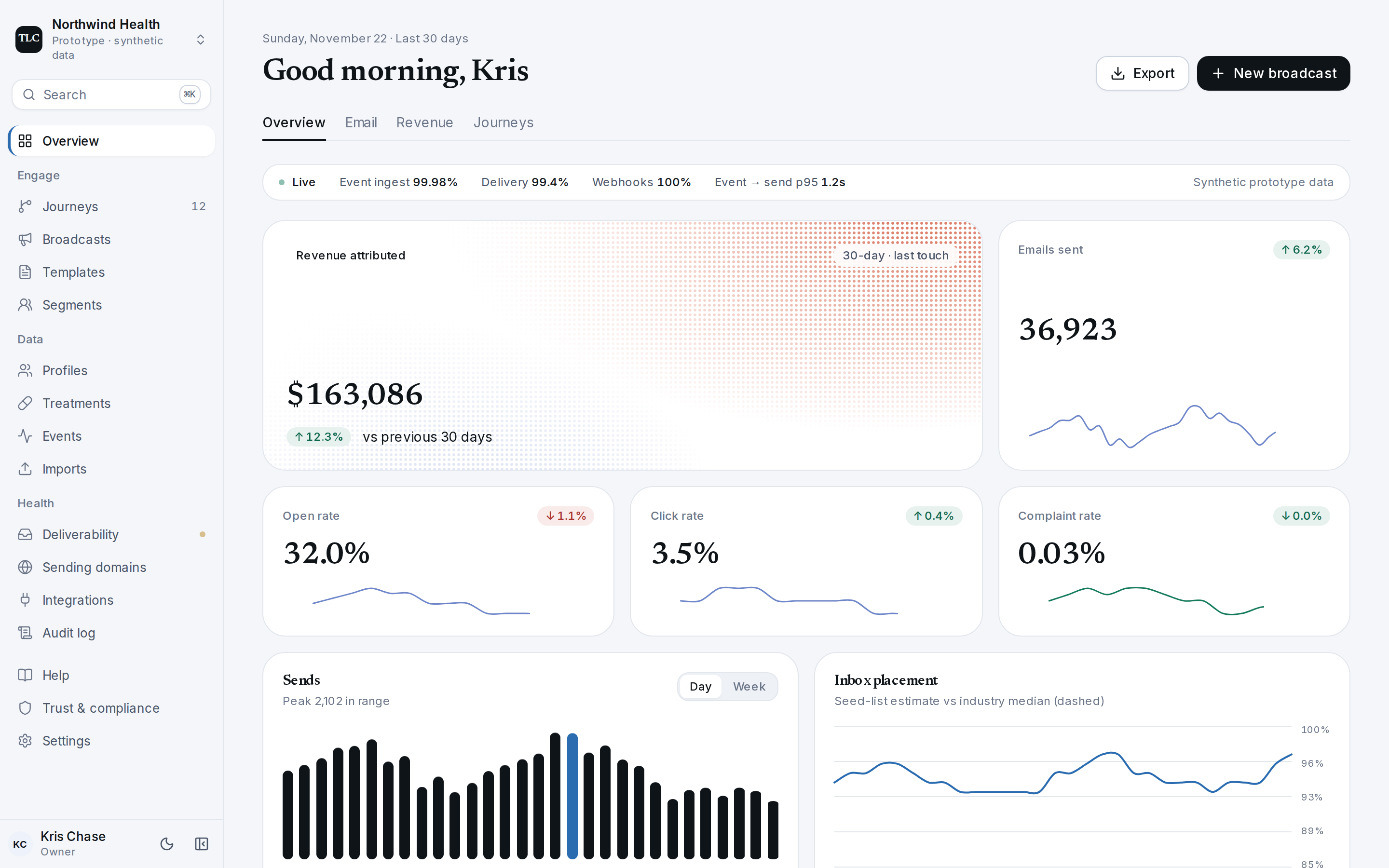 Overview dashboard
Navigation
The admin shell groups tools into Engage, Data, Health, and Settings. Press ⌘K (or Ctrl+K) to open the command palette and jump to any area (g j for journeys, g p for profiles).
Demo vs live data
Synthetic demo brands (meridian-care, northwind-health after demo-seed.sql) show fictional metrics. Live Postgres data requires a signed BAA and staff sign-in.